
Shopify Flow lets you build your own automations: tag an order, email your warehouse, post to a channel, add a note to a customer. The app gives Flow five wholesale triggers to start them from.
Who can do it: anyone who can edit workflows in Shopify Flow.
Before you start
- Install Shopify Flow from the Shopify App Store. It's free.
- Nothing to connect in the app. The triggers show in Flow by themselves.
Use a trigger
- Go to Integrations → Shopify Flow in the app and click Open Shopify Flow, or open Flow from your Shopify admin.
- Click Create workflow, then Select a trigger.
- Search for Wholesale and pick one of the triggers below.
- Add conditions and actions, then turn the workflow on.
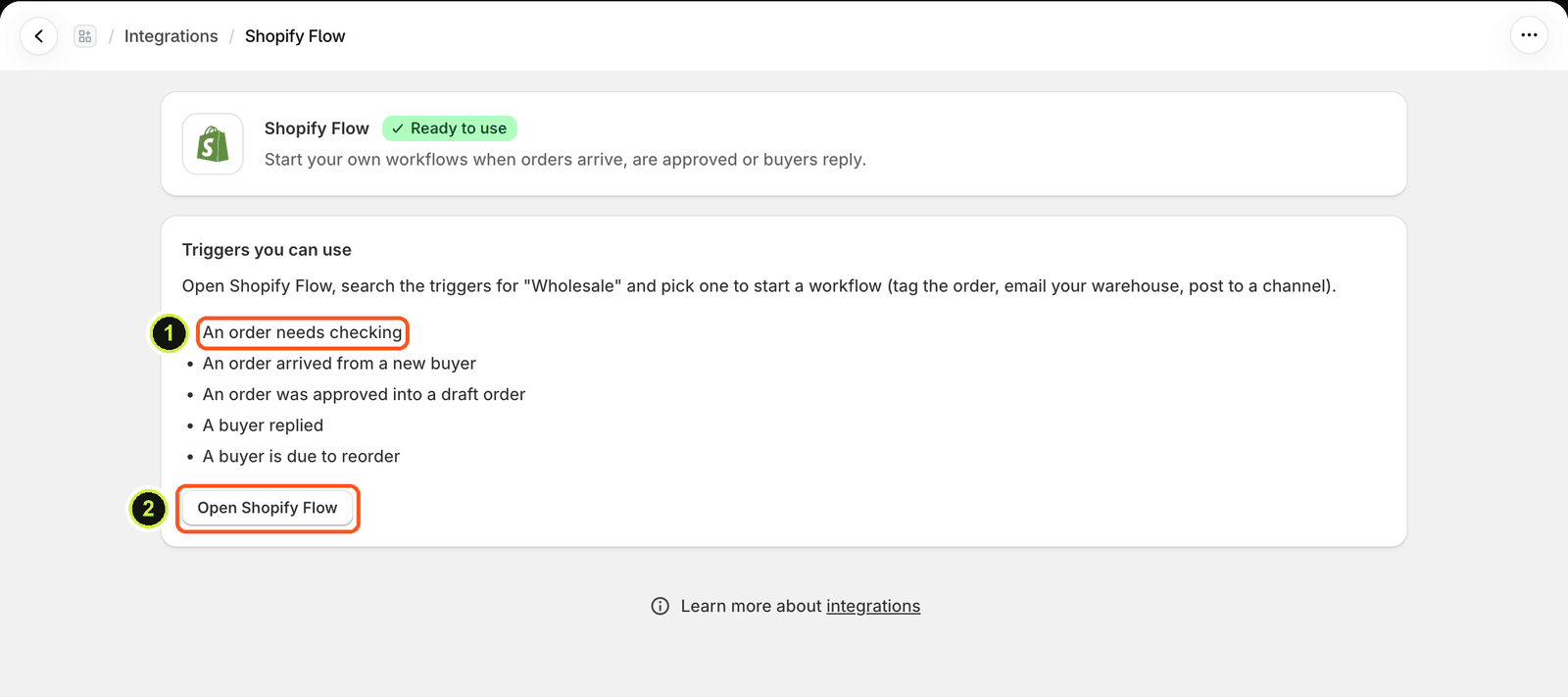 Integrations → Shopify Flow: the triggers you can use and Open Shopify Flow
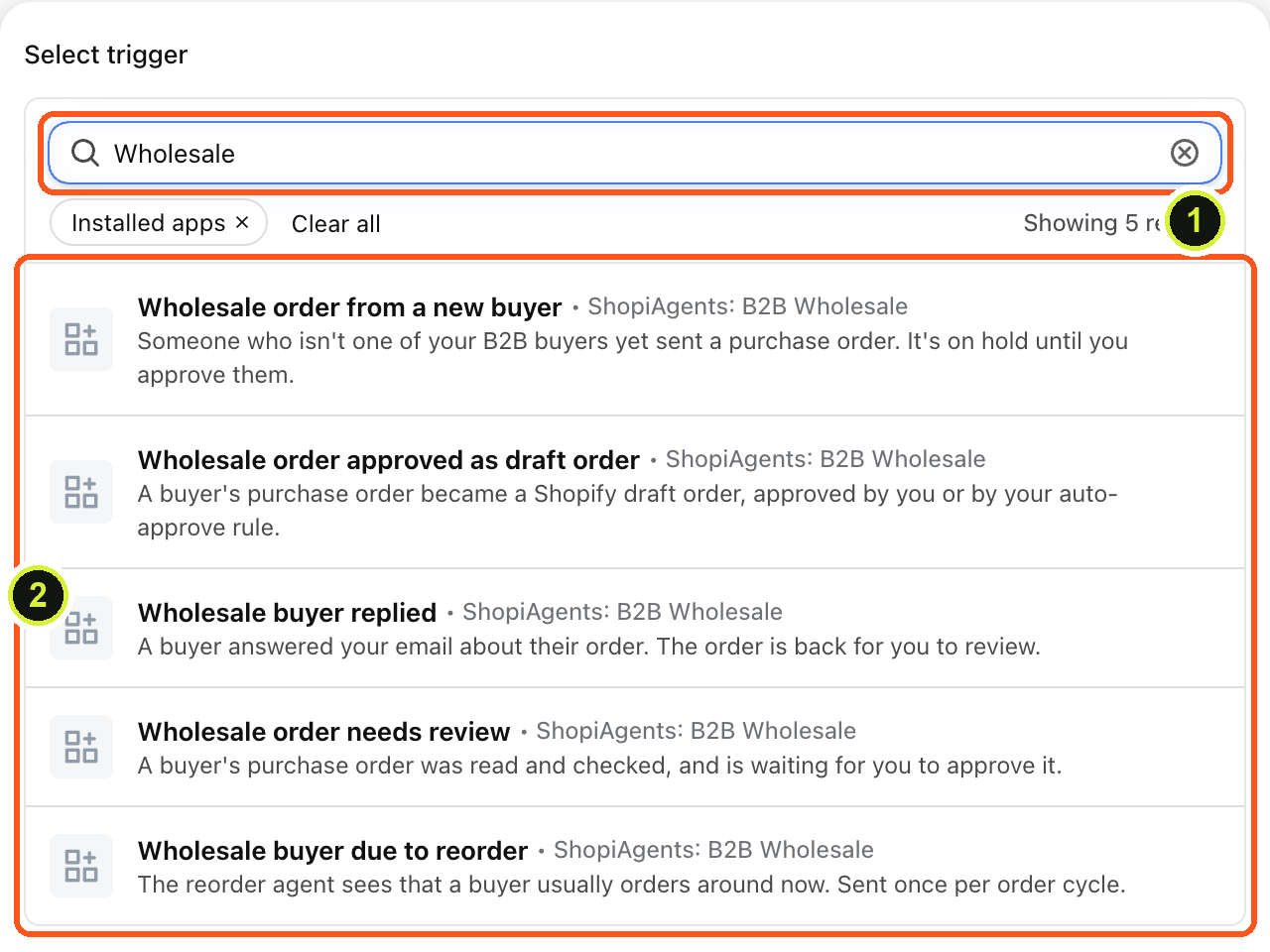 Shopify Flow's trigger picker searched for "Wholesale", showing the five triggers
The triggers and their fields
Wholesale order needs review
A buyer's purchase order was read and checked, and is waiting for you to approve it.
| Field | What it holds |
|---|---|
| Company | The buyer's Shopify B2B company |
| PO number | The buyer's PO number |
| Order total | The order's total |
| Lines to check | How many lines need a look |
| Order link | A link to the order in the app |
Wholesale order from a new buyer
Someone who isn't one of your B2B buyers yet sent a purchase order. It's on hold until you approve them.
| Field | What it holds |
|---|---|
| Buyer name | The business name from the order |
| Sender email | Who sent it |
| PO number | Their PO number |
| Order link | A link to the order in the app |
Wholesale order approved as draft order
A buyer's purchase order became a Shopify draft order, approved by you or by your auto-approve rule.
| Field | What it holds |
|---|---|
| Company | The buyer's Shopify B2B company |
| PO number | The buyer's PO number |
| Draft order name | The Shopify draft order, like #D1042 |
| Order total | The order's total |
| Auto approved | Yes when an auto-approve rule approved it |
| Order link | A link to the order in the app |
Wholesale buyer replied
A buyer answered your email about their order. The order is back for you to review.
| Field | What it holds |
|---|---|
| Company | The buyer's Shopify B2B company |
| PO number | The buyer's PO number |
| Order link | A link to the order in the app |
Wholesale buyer due to reorder
A buyer usually orders around now. It's sent once per order cycle.
| Field | What it holds |
|---|---|
| Company | The buyer's Shopify B2B company |
| Days since last order | Days since their last order |
| Usual order value | What their usual order is worth |
| Reorder agent link | A link to the reorder schedule in the app |
Ideas
- Order needs review and Order total over $5,000 → send an internal email to your sales manager.
- Order approved as draft order → add a tag to the company, or email your warehouse.
- Buyer due to reorder → add the company to a list your team calls each week.
Good to know
- Flow only starts workflows. Approving orders still happens in the app, or by your own auto-approve rule.
- If your plan doesn't include Flow triggers, the page in the app says so. See Pricing.
If something goes wrong
- No Wholesale triggers in Flow: check the app is installed and that Flow shows apps' triggers under Select a trigger. Search for "Wholesale".
- A workflow didn't run: open it in Flow and check its run history.