
"Did we change the price of the Cedar candle for distributors last month?" Every price list keeps a history, so you can answer that in seconds.
Who can do it: everyone on your team can look.
Open it
- Go to Prices → Price lists and open a list.
- Scroll to the Price history card.
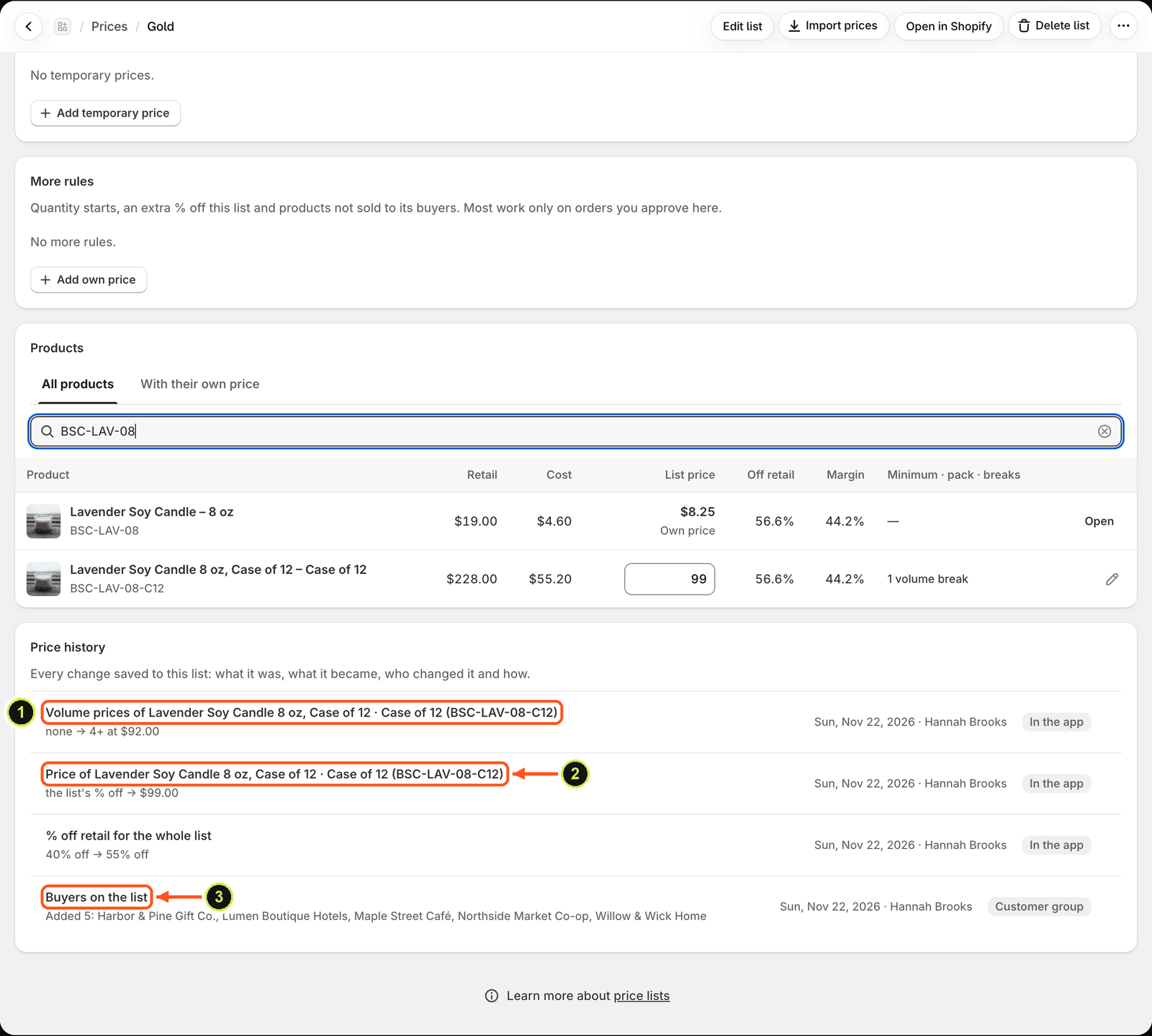 The Gold price list's Price history: a price change, a volume price change and buyers added by a customer group
Changes show newest first. Click Show older changes to see more.
What it records
| Change | Example |
|---|---|
| Price of a product | Price of Cedar candle: $12.00 → $11.50 |
| Volume prices | Volume prices of Cedar candle: 24+ at $11.00 → 48+ at $10.50 |
| Minimum, maximum or pack size | min 12 → min 24, packs of 6 |
| % off retail for the whole list | 30% off → 35% off |
| List name | Wholesale → Gold |
| Buyers on the list | Added 3: Oak & Fern, Harbor Goods, Pine Hollow · Taken off 1: The Little Shop |
Each entry says when it happened, who made it (a team member, or an assistant such as Claude or ChatGPT) and how:
- In the app: saved in the price list editor.
- CSV import: from an import.
- Customer group: a group moved buyers on or off. See Customer groups.
- Via [assistant]: asked from an AI assistant.
Good to know
- History starts from when the feature arrived. Changes saved from then on show here.
- A product no longer in your store shows as "a product no longer in your store".
- History is read only. To change a price back, edit the list.
Related
Still stuck? Email support@shopiagents.com and a person will help.