
Regular buyers know what they want: 24 of this candle, 12 of that mist. The quick order page lists your products with each buyer's own price and a quantity box, so a full order takes a minute instead of twenty product pages.
It's already on your store at yourstore.com/apps/wholesale/quick-order, inside your theme, with nothing to build.
Who can do it: an admin, for the menu link.
What buyers see
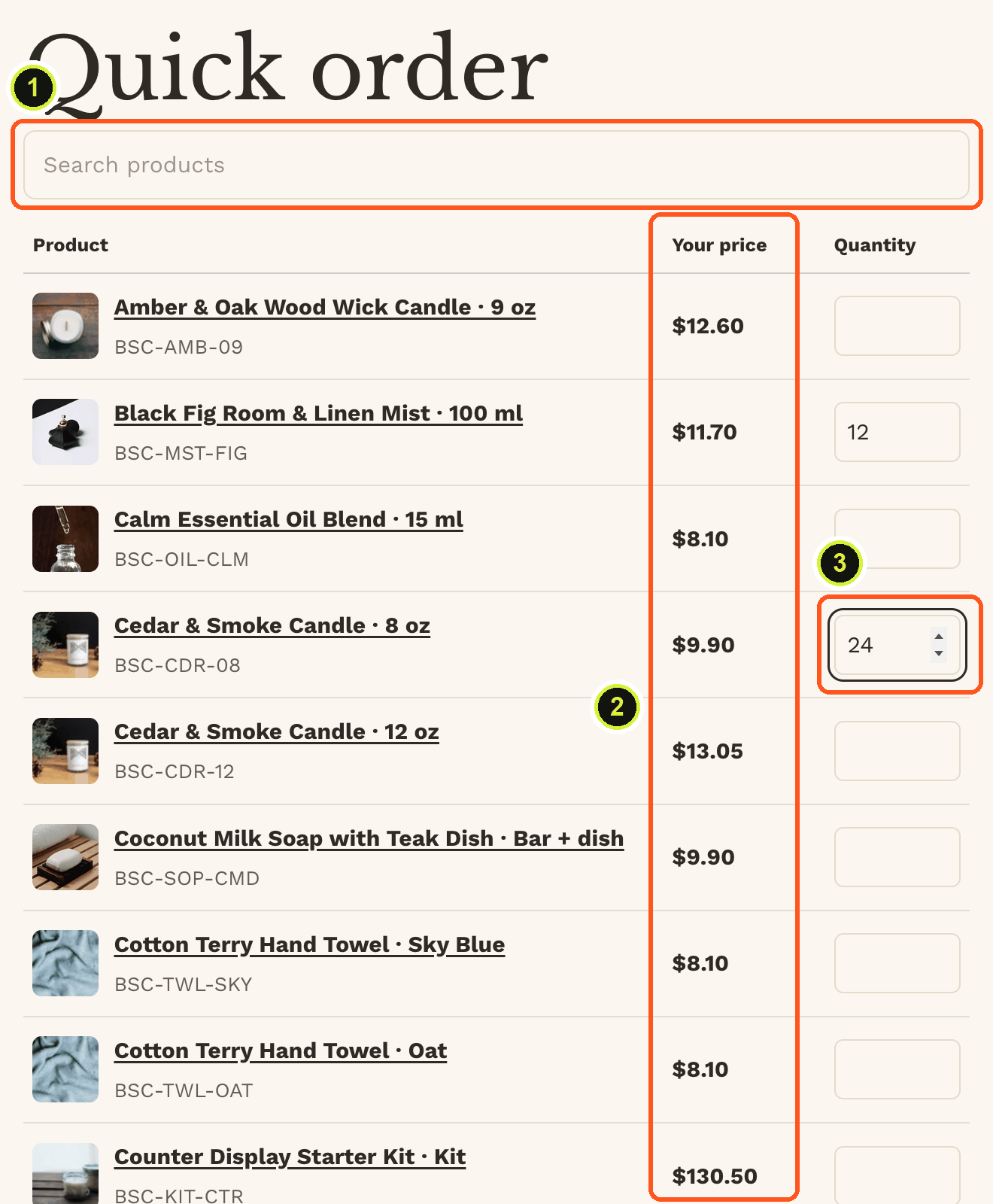 The quick order page as a signed-in buyer, two quantities typed in
- Search: finds products by name, SKU or brand on every page of the list.
- Your price: the buyer's own price from Shopify (their catalog or price list), with the first volume break ("Buy 24+").
- Quantity: your minimum and case pack are checked before anything goes in the cart ("Min 6 · packs of 6").
Add all to cart puts everything in the cart in one go, then shows Go to cart and Check out. Quantities stay filled in while they move between pages.
A shopper who isn't a buyer yet sees where they stand instead of the list: a guest gets Sign in (back to this page) and Apply for wholesale, an applicant sees "Finish your wholesale application" or your pending line.
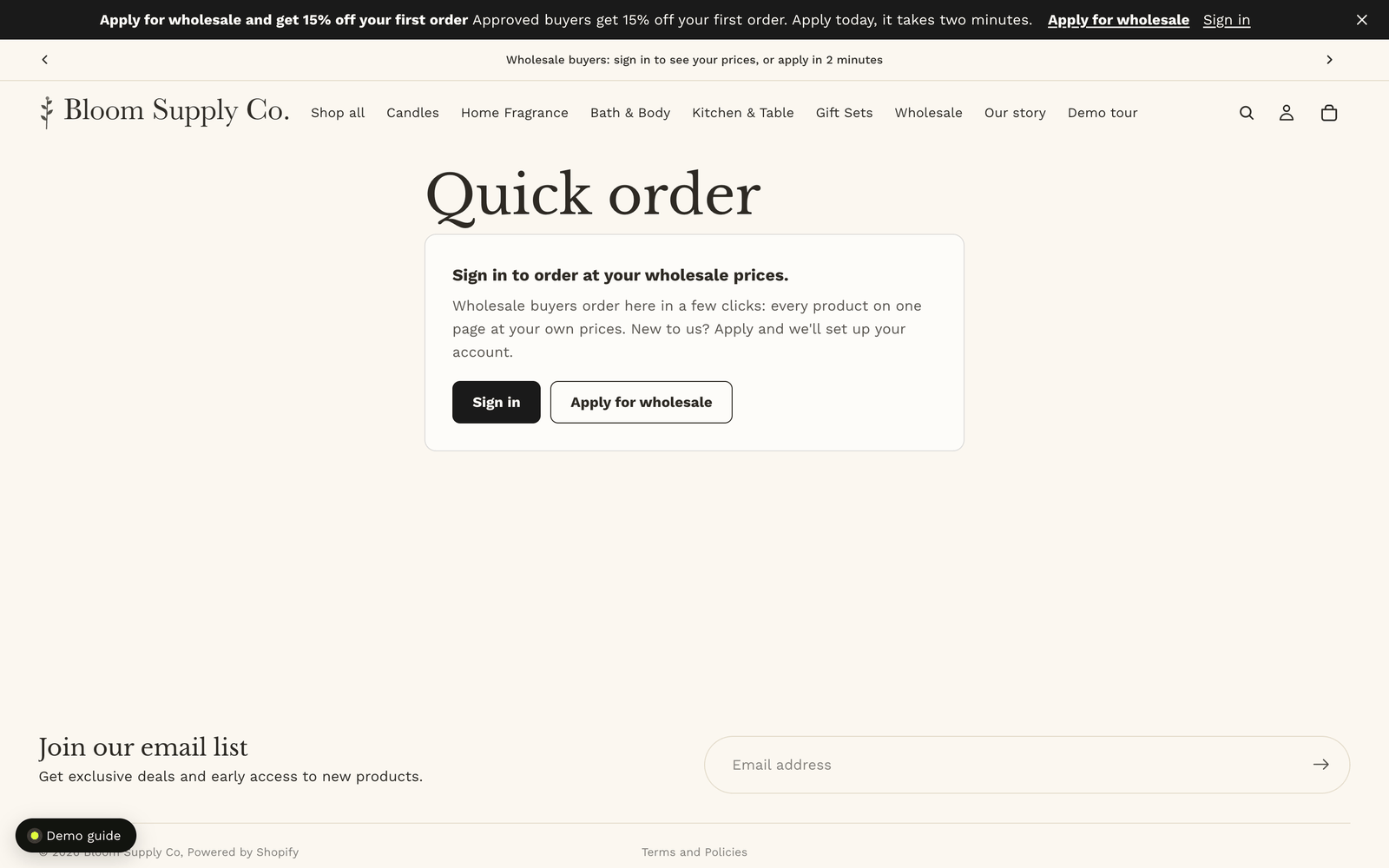 The quick order page for a guest: sign in or apply
Add it to your menu
From the setup checklist on Home, open Buyers find the quick order page:
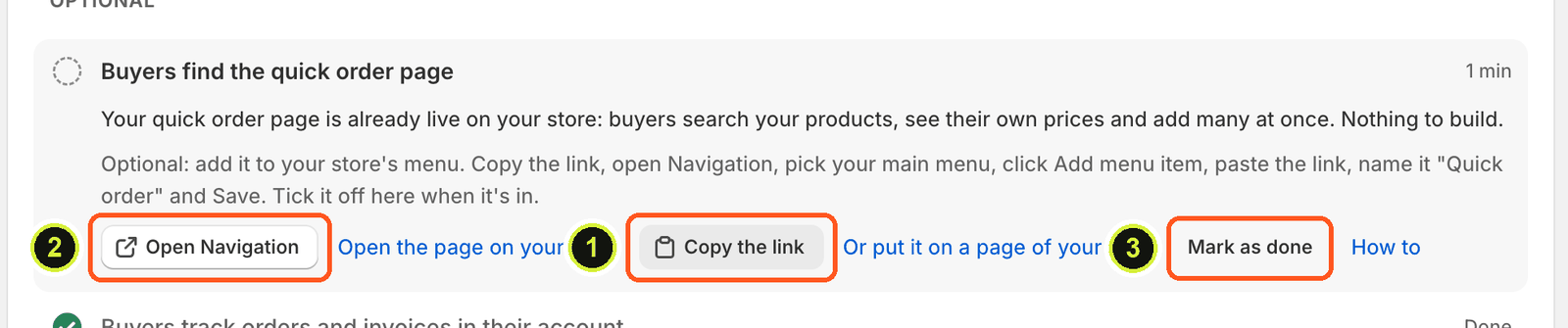 The checklist step: Copy the link, Open Navigation, Mark as done
- Click Copy the link.
- Click Open Navigation. Shopify opens Content → Menus. Pick your main menu (or footer menu).
- Back in the app, click Mark as done once it's saved.
In Shopify's menu:
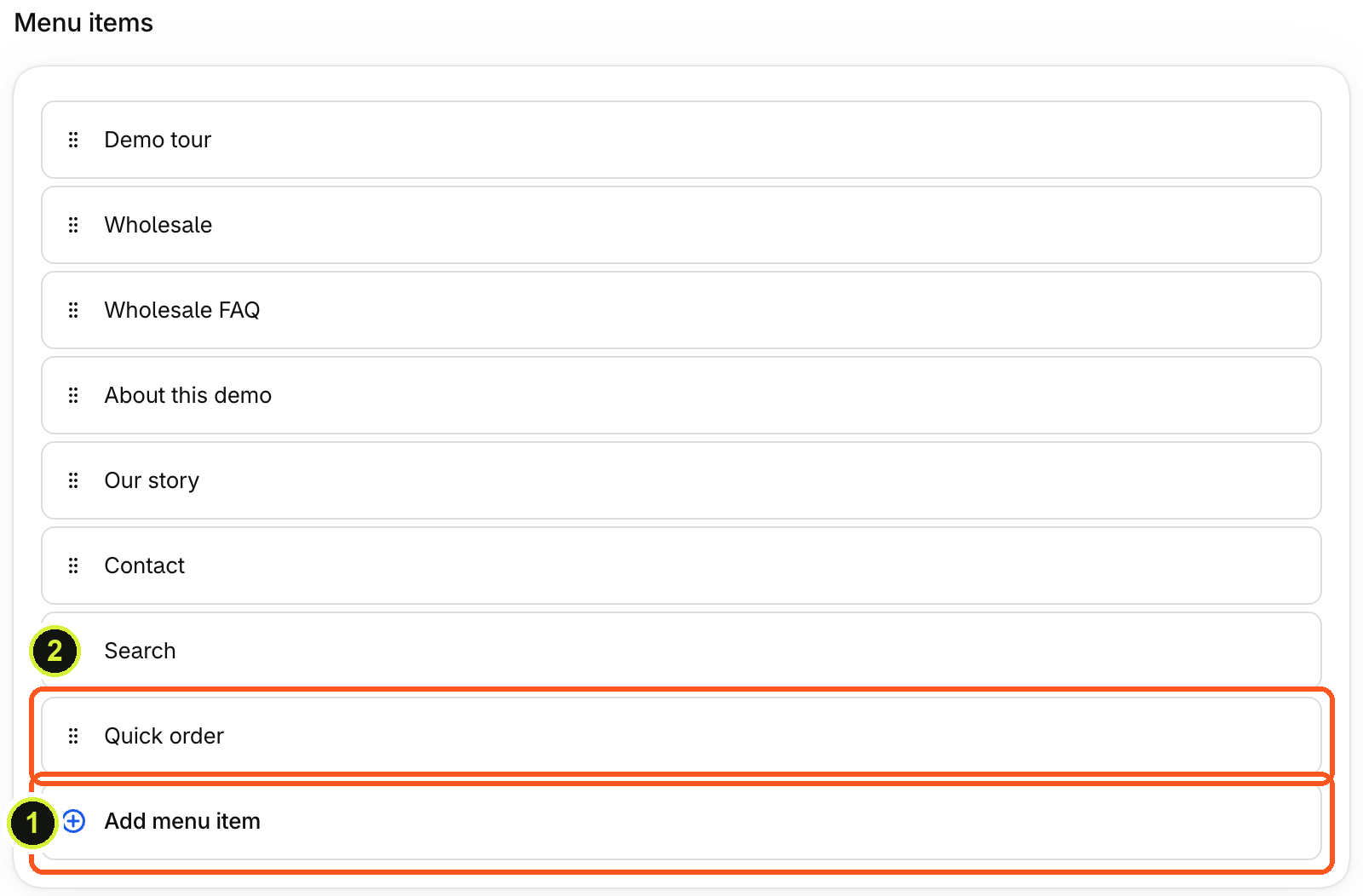 Shopify menu editor with a Quick order item
- Click Add menu item.
- Name it Quick order, paste
/apps/wholesale/quick-orderas the link, and click Save.
The same link is on Wholesale store → Who sees what → Quick order page, with Live on your store next to it.
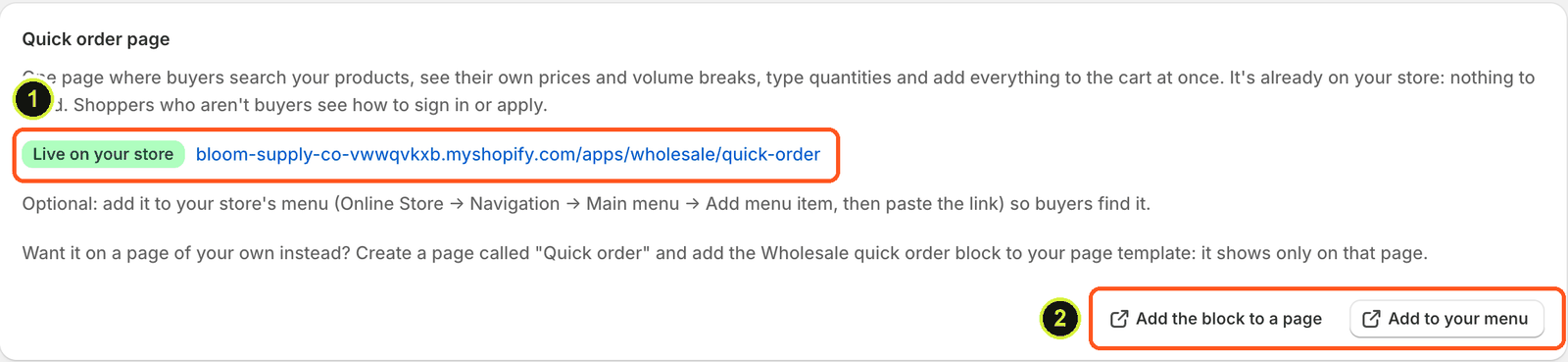 Who sees what, Quick order page card: the live link and the two buttons
- The page's link. Click it to see the page as you are now.
- Add to your menu opens Shopify's menus; Add the block to a page is the optional block below.
Optional: on a page of your own
Prefer the list on a page you design (with your own text above it)? Create a page called Quick order in Online Store → Pages, make it Visible, then click Add the block to a page. The theme editor adds the Wholesale quick order block to your page template; it shows only on the page whose handle is quick-order (change Show on the page in the block to use another page). In the block you can also pick a collection, the products per page and whether pictures show.
Good to know
- Prices come from Shopify for the signed-in buyer and the location they're buying for, exactly what checkout charges.
- Sold-out variants show Sold out with no quantity box.
- The page lists 25 products at a time; search covers every page.
If something goes wrong
- A buyer sees "Choose the location you're buying for": their company has several locations and they haven't picked one; the links set it.
- A buyer sees retail prices: check their location has a catalog or price list. See How wholesale prices work.