
Many businesses create a store account first and look for the wholesale form later, or never. With these settings, a shopper who signs in is shown your application straight away, with their name, email and business already filled in from their Shopify account.
Who can do it: an admin.
Turn it on
- Go to Wholesale store → Who sees what.
- Under After sign-in, switch on Show the application right after sign-in. It applies at once.
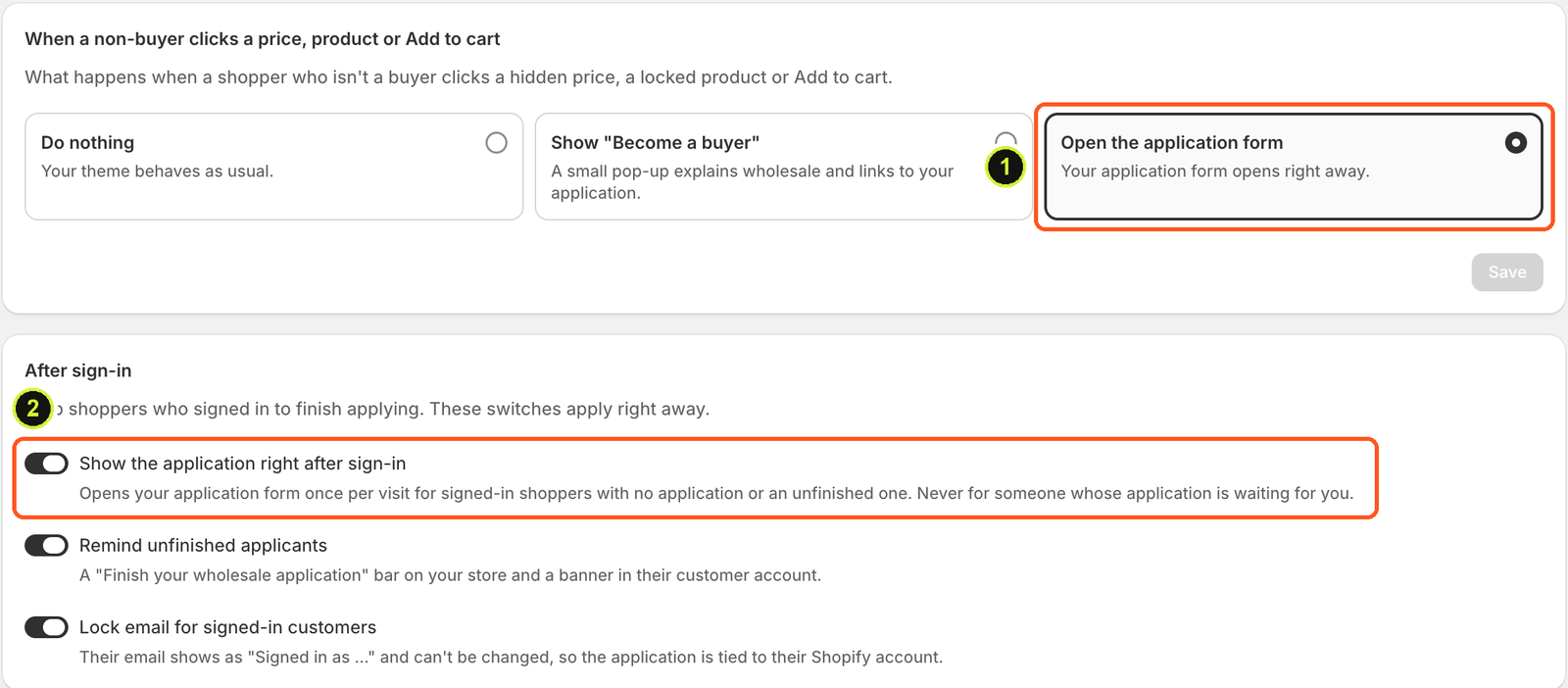 After sign-in switches on Who sees what
The switches (2 in the picture):
- Show the application right after sign-in: the form opens once per visit for a signed-in shopper with no application or an unfinished one. Never for someone whose application is waiting for you, and never for buyers.
- Remind unfinished applicants: a "Finish your wholesale application" bar on your store (once a visit) and a banner in their customer account.
- Lock email for signed-in customers: the form shows "Signed in as …" with their Shopify email, which can't be changed, so every application is tied to a real account.
The form opens as a pop-up, so your application needs to be set to open as one. See Where the form shows: page, pop-up, links.
What the shopper sees
- They click Sign in anywhere on your store (the price note, the Order wholesale button, the quick order page). Shopify's own sign-in opens. A new shopper creates an account there with a one-time code sent to their email.
- After signing in they land on your application form, not your home page.
- Their name, email, business and phone are filled in from Shopify and folded into one "Signed in as …" line. Edit opens them. They answer only what's left.
- If they started earlier and stopped, the form opens at the step where they left off.
Once they send it, every wholesale spot on your store says "Application received — we'll email you" (or your own line) instead of an apply button.
Good to know
- "Right after sign-in" means once per browser visit: the app can't see the exact moment someone signs in.
- An unfinished application is picked up for 30 days.
- The customer account banner needs the Wholesale orders link block in your accounts editor. See Set up your store for wholesale buyers.
- Nothing here changes Shopify's sign-in itself; the app only adds where to come back to.
If something goes wrong
- The form doesn't open after sign-in: check the switch is on, the app embed is on, and your application opens as a pop-up.
- The email can't be changed: that's Lock email for signed-in customers. Switch it off if applicants need a different address.
Related
Still stuck? Email support@shopiagents.com and a person will help.