
Reps go on holiday, get sick and change jobs. Their buyers still need reorder reminders, quote follow-ups and answers. Set the rep's status and your agent covers their buyers until they're back, speaking as your store's team. Anything that needs a person comes to you.
Who can do it: admins.
In the app your agent is called Ava by default; you can rename her.
Set a rep away
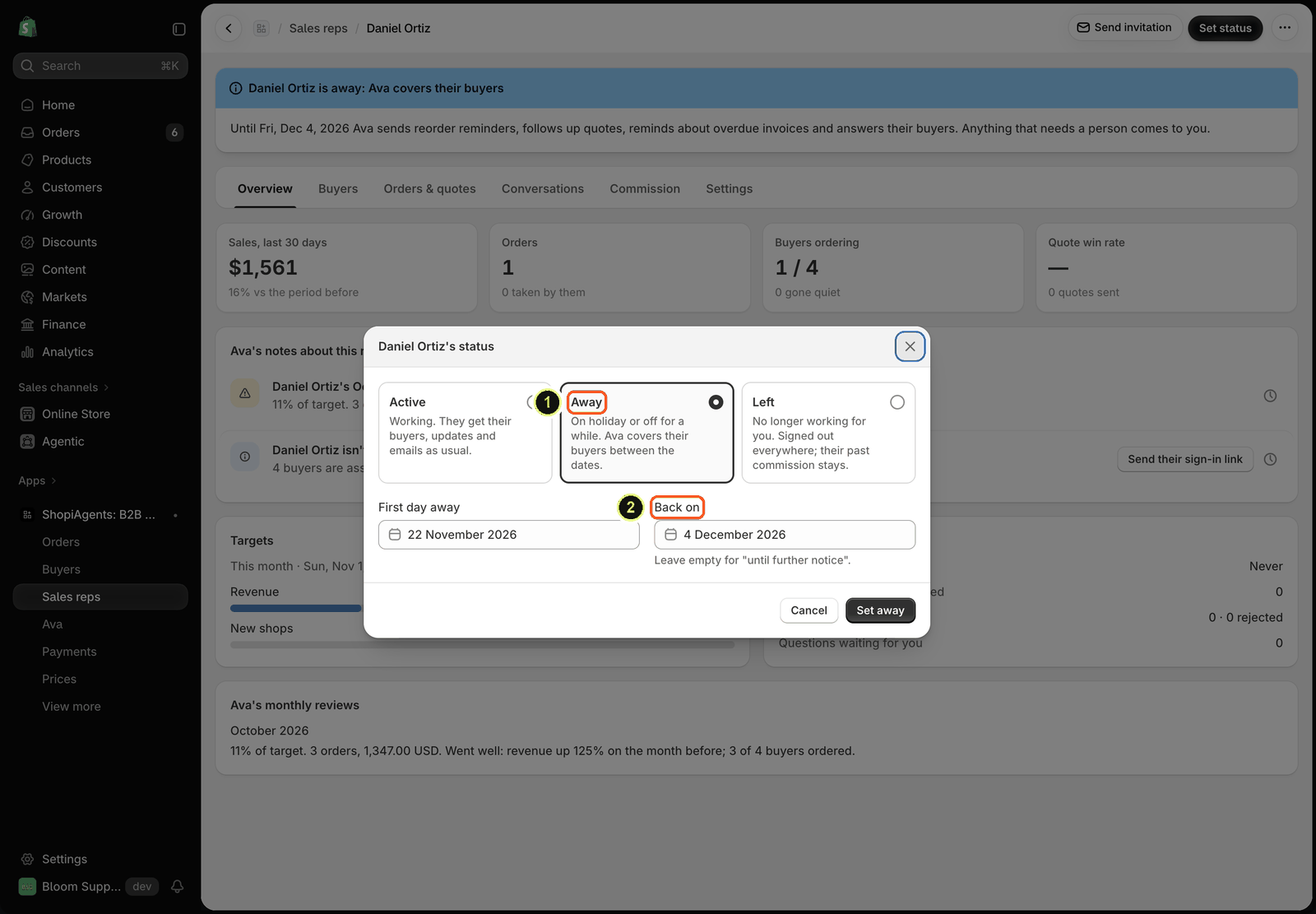 The rep's status pop-up: Away picked, with First day away and Back on
- Open the rep and click Set status at the top.
- Choose Away.
- Set First day away and Back on. Leave Back on empty for "until further notice".
- Click Set away.
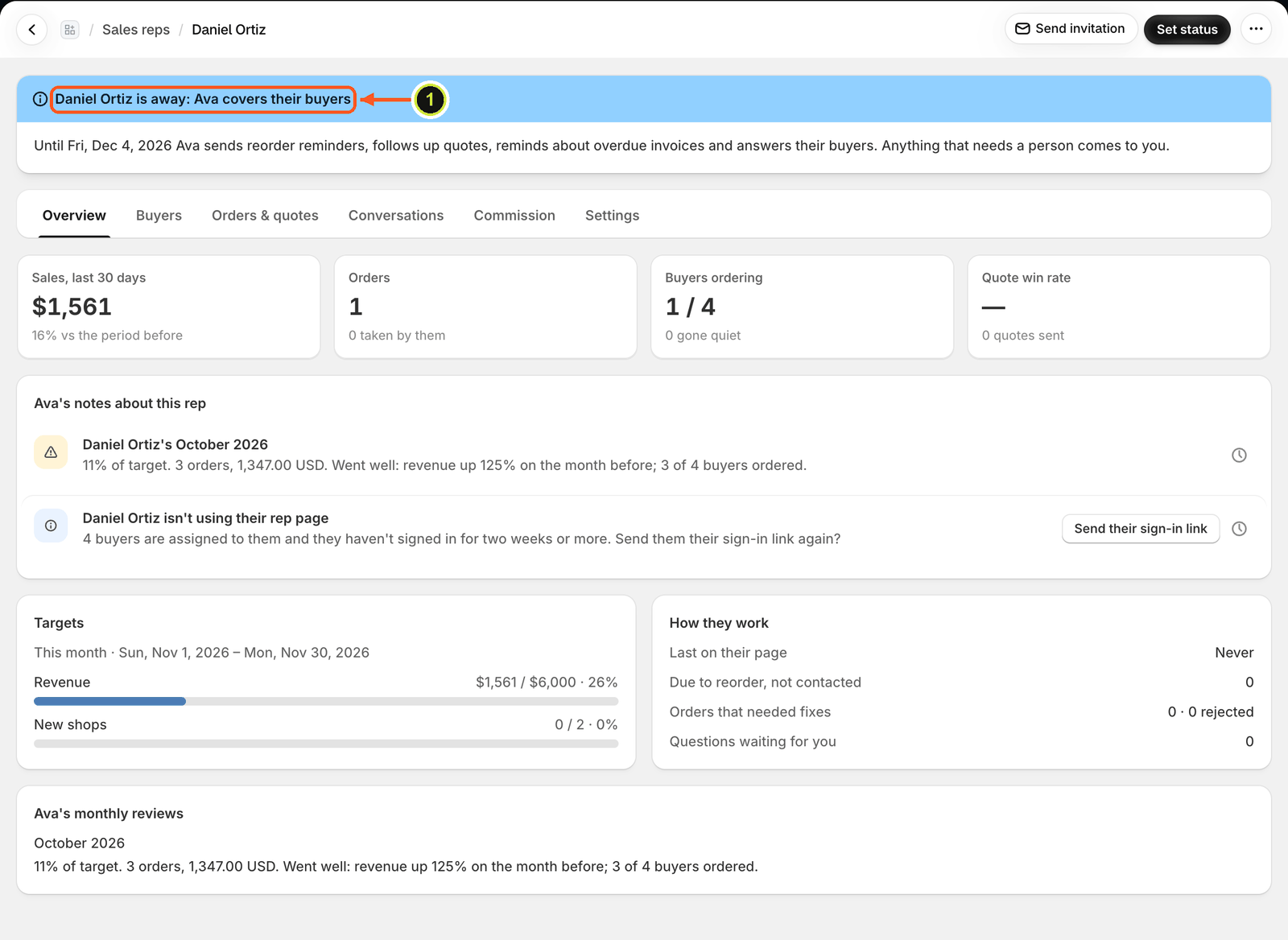 The rep's page while they're away: the banner saying Ava covers their buyers until the date
The rep's page shows a banner with the dates. On Buyers, their buyers show Ava covering under Handled by, and Sales reps → Overview lists them under Ava covering.
What your agent does for their buyers
Between the dates, for that rep's buyers, your agent:
- sends reorder reminders,
- follows up quotes,
- reminds about overdue invoices,
- answers their questions.
All of it follows your agent's rules: where a rule says Suggest, it asks you first instead of emailing. What it did shows on the Overview under Ava covering ("Reorder reminder sent to Maple Street Café"). When the rep is back, everything returns to them on its own.
When a rep leaves
- Click Set status and choose Left.
- Choose where their buyers go: Another rep (pick one), Ava (no rep: your agent looks after them) or Keep assigned (your agent covers them for now).
- Click Mark [rep] as left.
They're signed out on every device and can't use their page. Their past commission and statements stay. You can make them active again later.
Buyers with no rep
A buyer with no rep shows Ava under Handled by. Your agent looks after them the same way and brings you anything that needs a person. See Who handles each buyer.