
Bonus rules add extra commission when a rep reaches a goal. They're worked out on each commission statement with the reason, so the rep sees why. The app never pays anyone: you pay your reps yourself.
Who can do it: admins.
Add a bonus rule
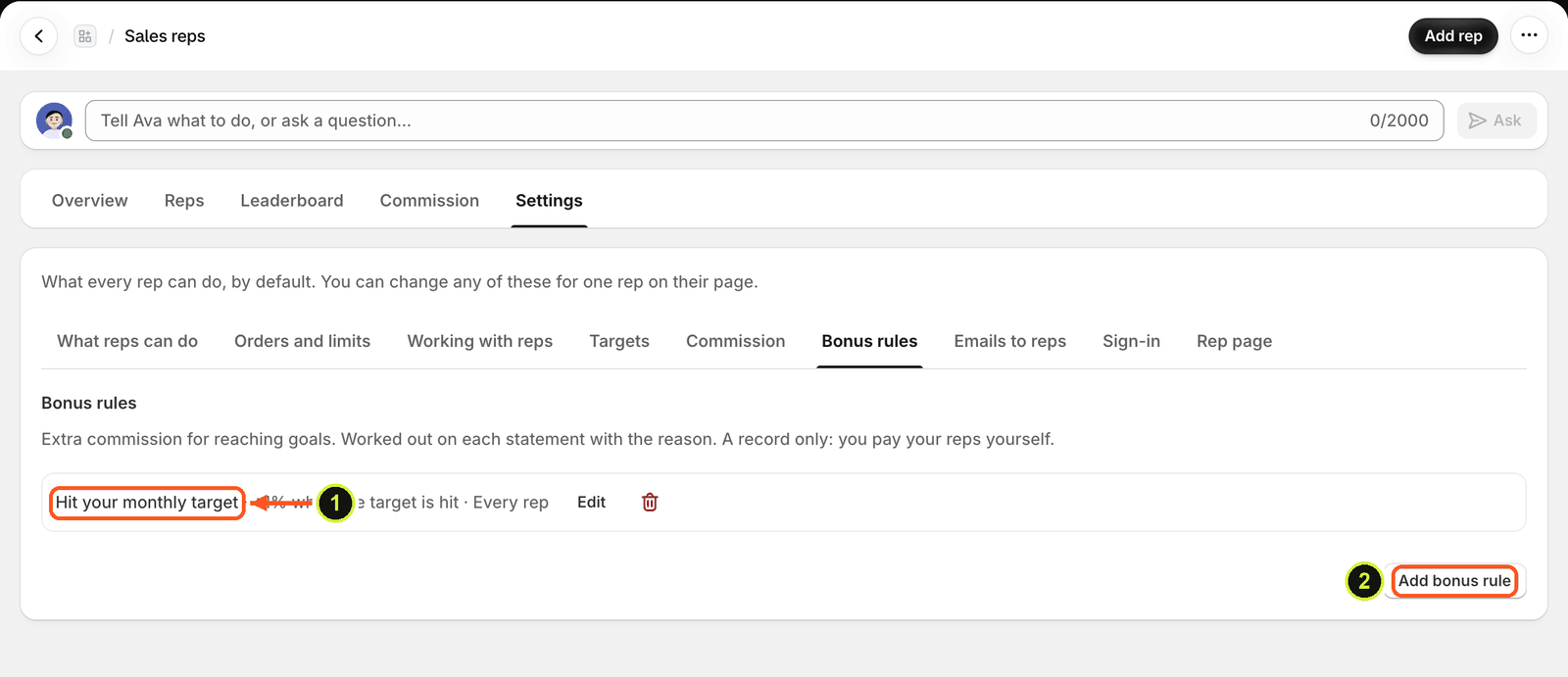 Sales reps → Settings → Bonus rules with one rule and Add bonus rule
- Go to Sales reps → Settings and click Bonus rules.
- Click Add bonus rule.
- Give it a Name reps will understand, such as "Hit your monthly target".
- Choose the kind:
- Target hit: an extra % of commission when the rep hits their revenue target. Enter the Extra commission %.
- New shop that came back: an amount for each new shop that ordered a second time.
- Revenue over an amount: an amount when the period's revenue is over the threshold you enter.
- Under For, choose Every rep, one rep or an agency.
- Click Add bonus rule.
The rule shows in the list with what it does ("+1% when the target is hit · Every rep"). Click Edit to change it, or the bin to remove it. Removing a rule doesn't change statements already made.
Where bonuses show
When you make a statement, each bonus that applies is a Bonus line with its reason. The statement's total includes it. See Commission statements and clawbacks.
Your agent's monthly review may suggest a bonus when a rep hits target.
Related
Still stuck? Email support@shopiagents.com and a person will help.