
Your reps get their own page, in your store's name, logo and colour. It works on any phone at a trade show or in a shop, with no Shopify account and no way into your admin. This page shows what they see there, so you know what you're giving them and can help when they ask.
Who can do it: admins set what reps can do in Sales reps → Settings, and for one rep on that rep's Settings tab.
Your reps never see your agent or any AI. Everything from your side is signed by your store's team, for example "Bloom Supply Co. team". In the app your agent is called Ava by default; you can rename her.
Signing in
A rep enters the email you added them with and gets a 6-digit code by email. There's no password, and each code works once, for 15 minutes. On their own phone they can tick Remember this device to stay signed in for the number of days you choose. To add reps and send their invitation, see Add sales reps and their page.
The menu
On a computer the menu runs down the side. On a phone the main ones sit at the bottom, and the rest are under More:
Home · Buyers · Orders · Quotes · Messages · Updates · Commission · New shop · Help · Profile
What you've switched off for a rep isn't shown. With Send quotes off, for example, there's no Quotes.
Home
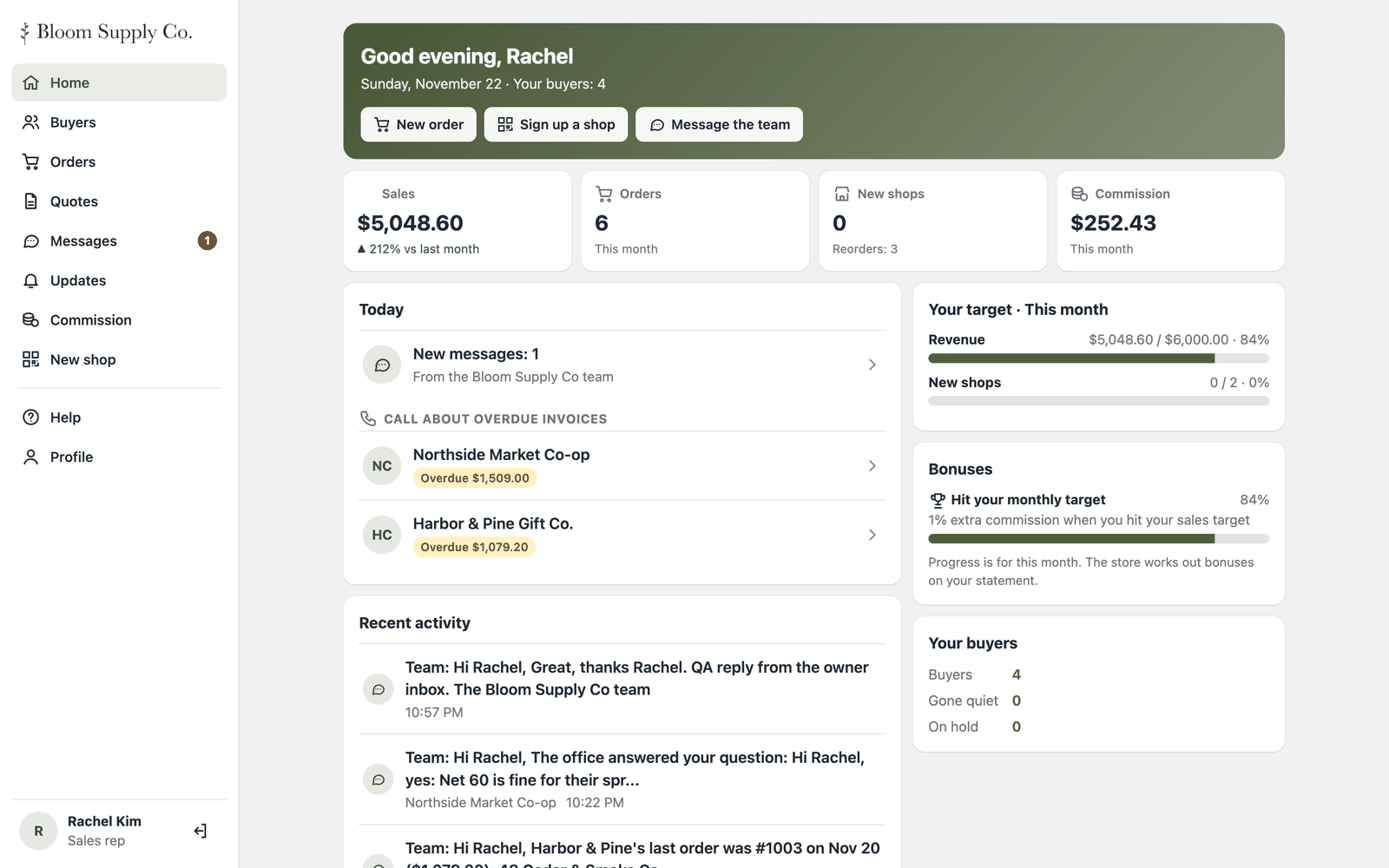 The rep page on a computer: Home with this month's numbers, Today, Your target and recent activity
- A greeting with the date, how many buyers they have, and buttons for New order, Sign up a shop and Message the team.
- This month's numbers: Sales (against last month), Orders, New shops with reorders, and their Commission when you show it.
- Today: buyers Due to reorder, Quotes waiting, buyers to Call about overdue invoices, buyers On credit hold, buyers who've Gone quiet, and new messages and updates from your team. When nothing needs them: "Nothing needs you today. Nice work."
- Your target with progress bars, and Bonuses with how close they are, when you've set them. See Targets and Bonus rules.
- Recent activity: their orders, quotes, sign-ups and messages.
The first time they sign in, a short guide card explains the page. Help opens the full guide, which only shows the steps for what that rep may do.
Buyers
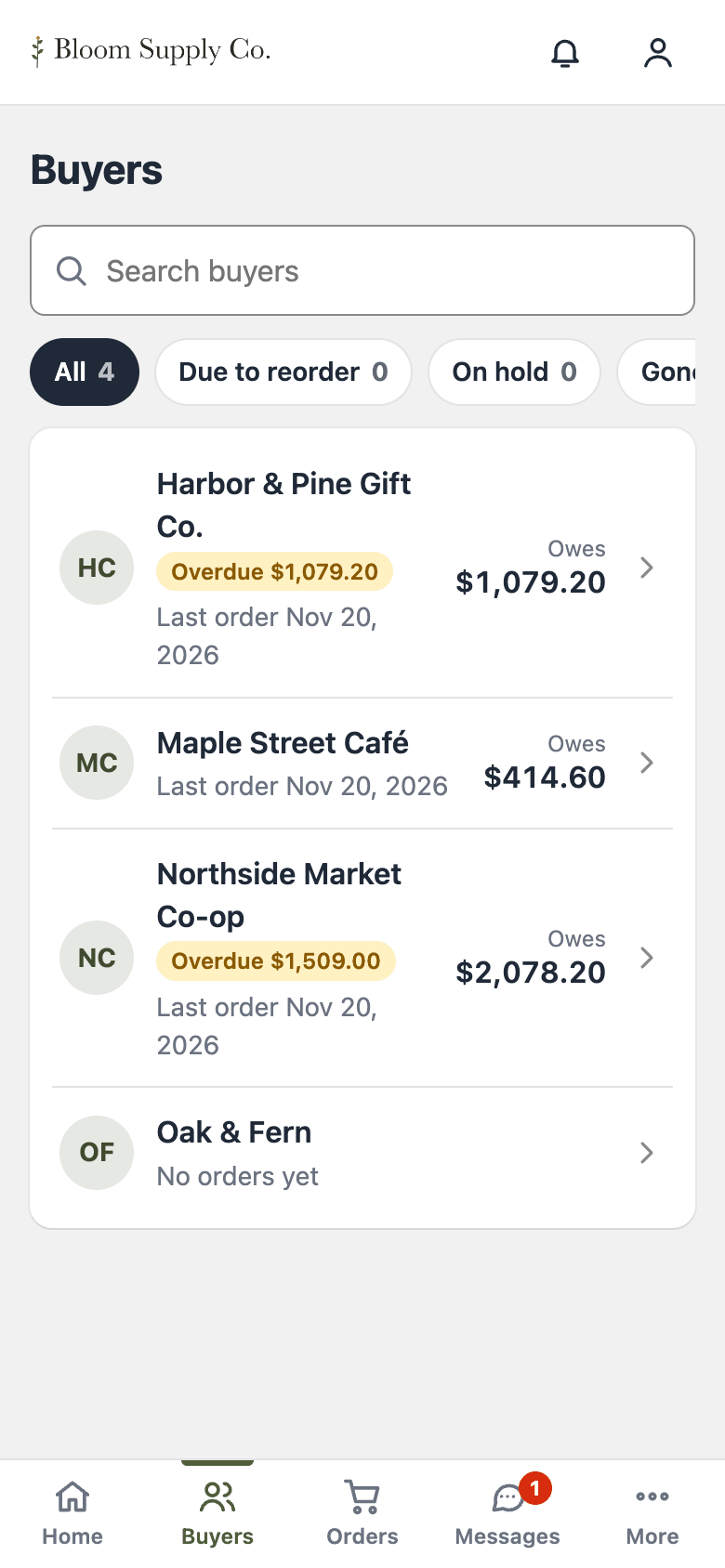 The rep page on a phone: the Buyers list with filters and what each buyer owes
Their buyers, with search and filters: All, Due to reorder, On hold and Gone quiet. With See other buyers in their territory on, In your territory shows those too. Each buyer shows what they owe, when you let reps see money.
Opening a buyer shows their prices, usual order, credit left, contacts (tap to call or email) and locations, with tabs for Orders, Quotes, Notes (notes for your office, which you see on the buyer's page) and Addresses where allowed. From there they tap New order or Send quote.
Orders and quotes
New order: search products by name or SKU, set quantities, pick the location, add a PO number and notes, and send it. Each line shows the buyer's own price; a discount per line only up to the most you allow. A line tells them what happens next: it waits for your approval, or goes straight through. Orders lists their orders with where each one stands.
Quotes lists their quotes, including ones Prepared for you and ones Being discussed with the buyer. Quotes go to the buyer from your store.
Messages
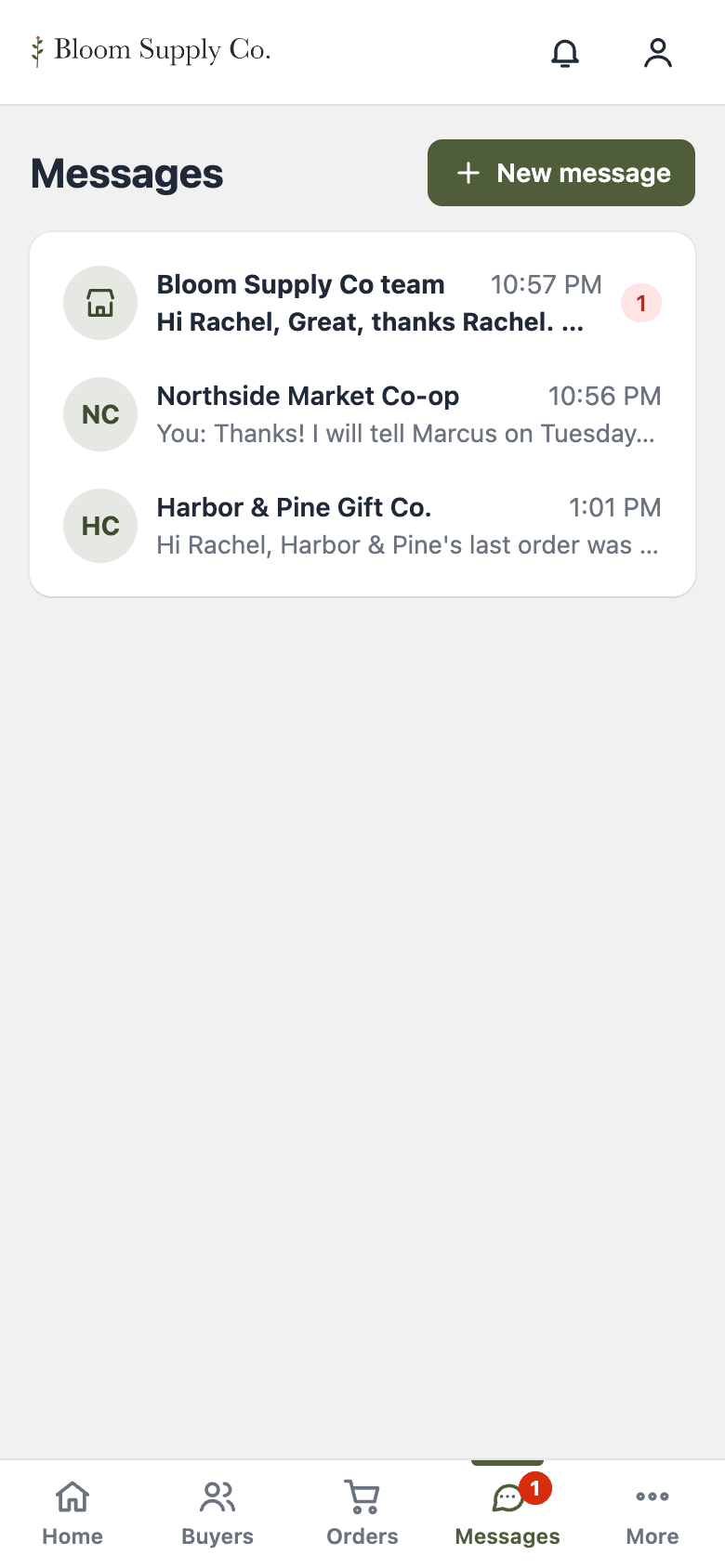 The rep page on a phone: Messages with the team and a conversation about one buyer
One conversation with your team for anything, titled with your store's name, and one per buyer for questions about that buyer. Your team answers from Messages in the app, where the rep's conversations sit next to your buyers'. Your agent can answer simple questions about their own buyers; the rep sees those answers signed by your store's team too. See Messages between reps and your team.
Updates
What your team asks them to look at: a buyer due to reorder, an overdue invoice to call about, a buyer question. Each has Done, Snooze (until tomorrow, for 3 days or for a week) and Open buyer. Tabs: To do and Done and snoozed.
Commission
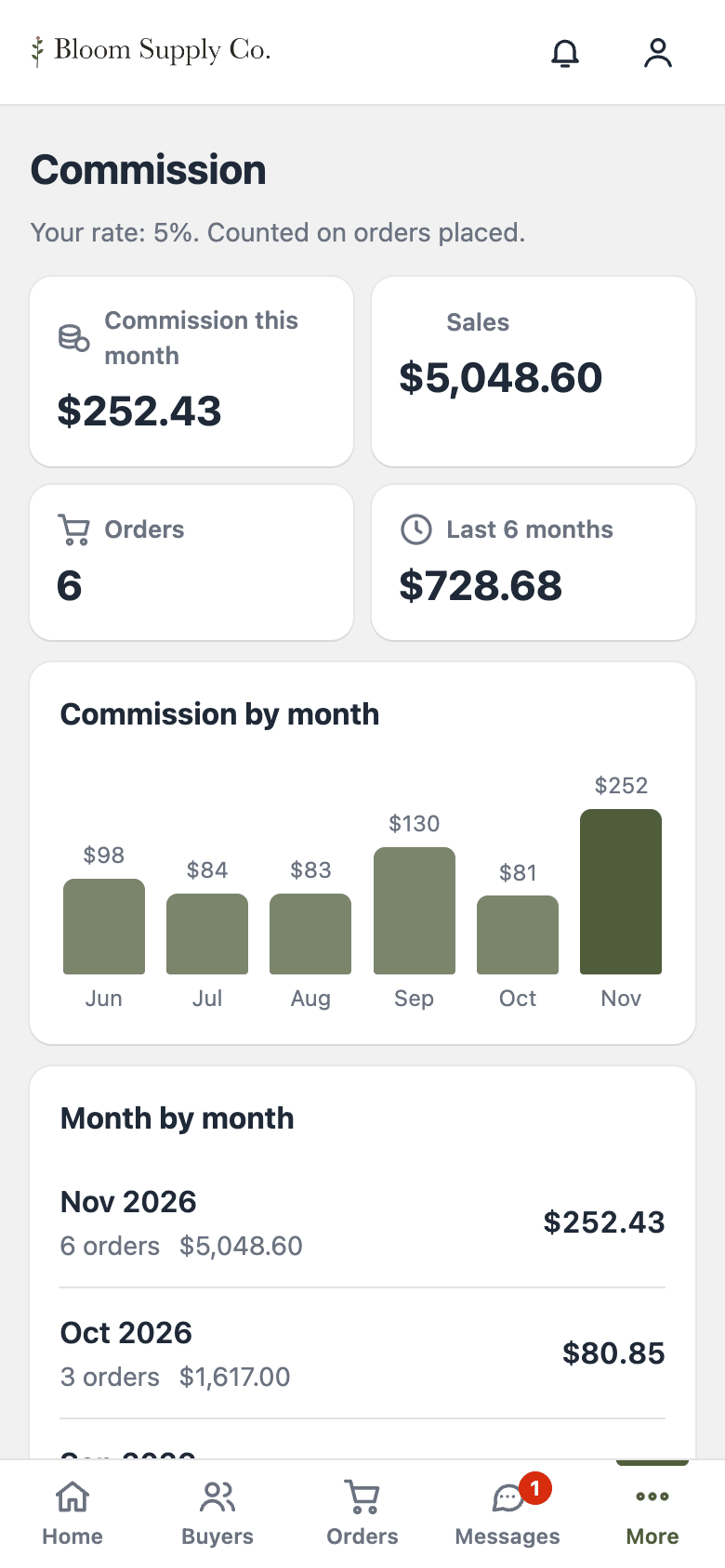 The rep page on a phone: Commission this month, the last 6 months and their statements
When you let reps see their sales: Commission this month and their rate, a chart of the Last 6 months, Month by month, the Orders that count, and their Commission statements once you've made them ready. See Commission statements and clawbacks.
New shop
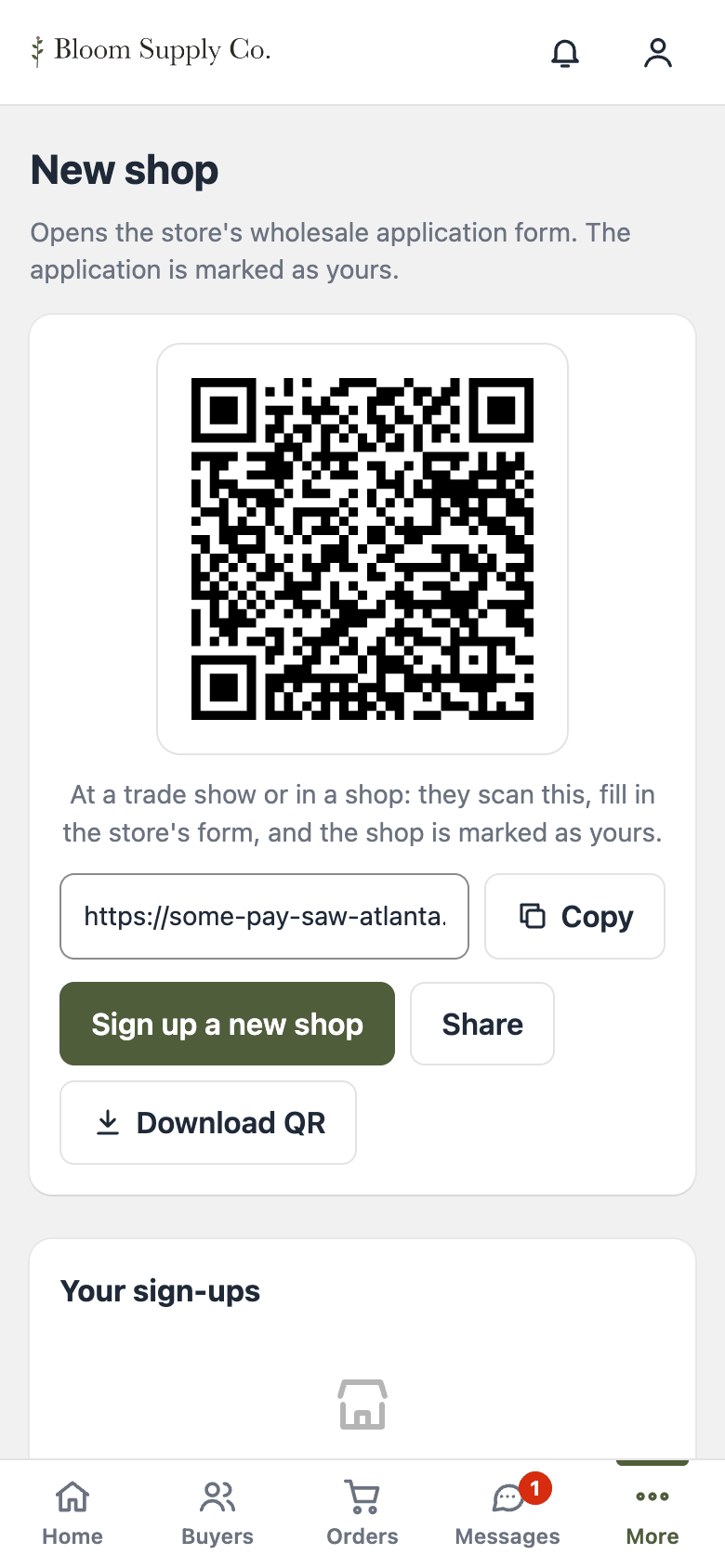 The rep page: New shop with the rep's own sign-up link and QR code
Their own sign-up link with Copy, Share and a QR code they can show or Download QR. At a trade show or in a shop, the owner scans it and fills in your wholesale application form. The application is marked as the rep's, and approving it gives that buyer to them. Your sign-ups lists the shops that applied from their link.
Profile
Their details, Emails you get (a morning email and its time, orders approved or not, buyers due to reorder, updates and messages) and Signed-in devices, where they can sign out a phone they no longer use. You can see and sign out a rep's devices from their page in the app too.
Good to know
- Only their own buyers. A rep sees the buyers you give them (and their territory, if you allow it). Nothing about other reps' buyers, and no costs.
- The page follows your settings. Switch something off for a rep and it disappears from their page at once. Changes to what they may do sign them out, so they sign in again with a code.