
Every buyer is looked after by someone. Handled by shows who: one of your reps, or your agent when the buyer has no rep or their rep is away.
Who can do it: editors and up change who handles a buyer.
In the app your agent is called Ava by default; you can rename her.
On the Buyers list
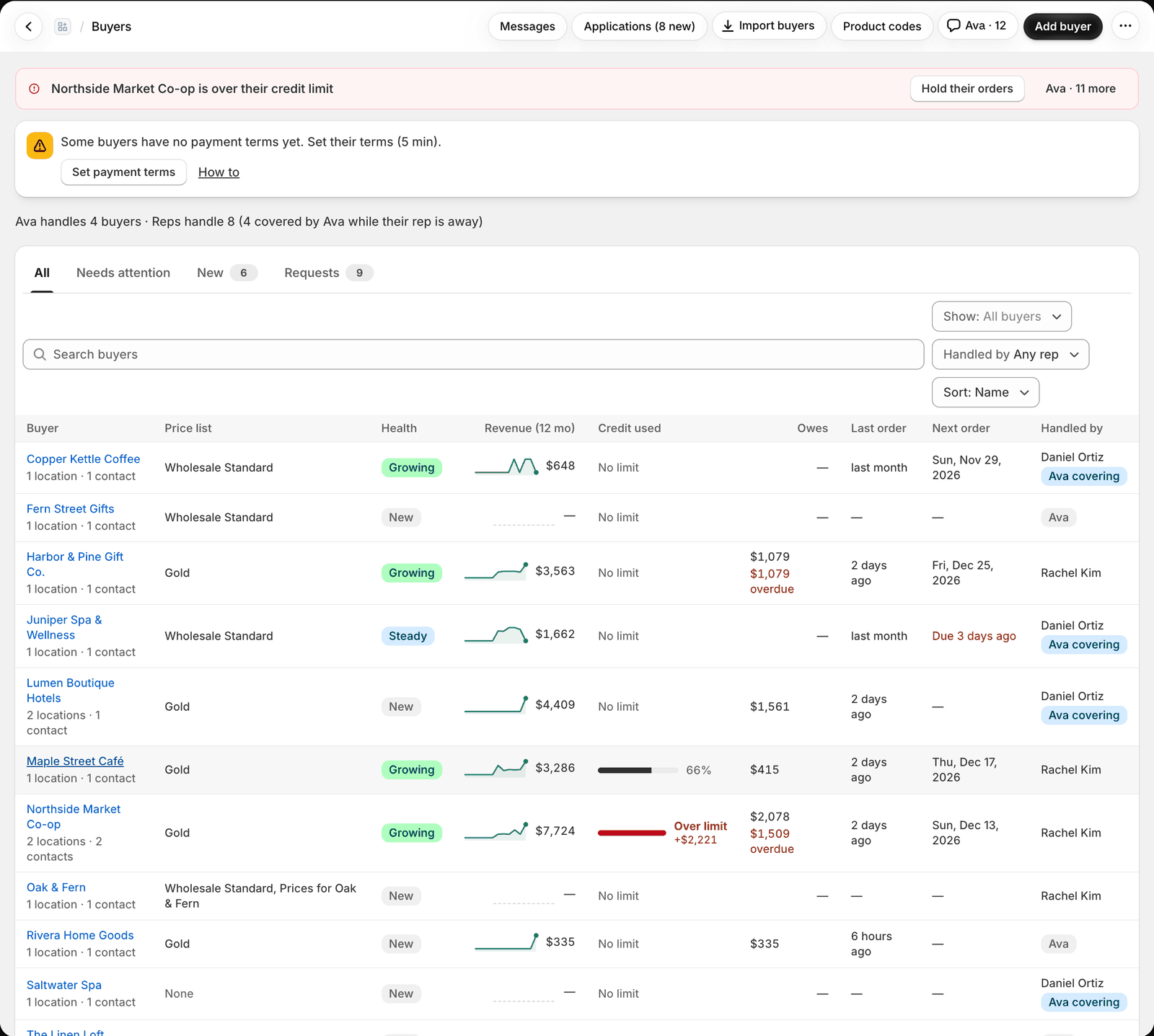 The Buyers list with the Handled by column and filter
The Handled by column shows the rep's name, Ava covering when their rep is away or gone, or Ava when there's no rep. Above the list, a line sums it up ("Ava handles 3 buyers · Reps handle 8").
Use the Handled by filter to see Any rep, one rep, or buyers with no rep.
On the buyer page
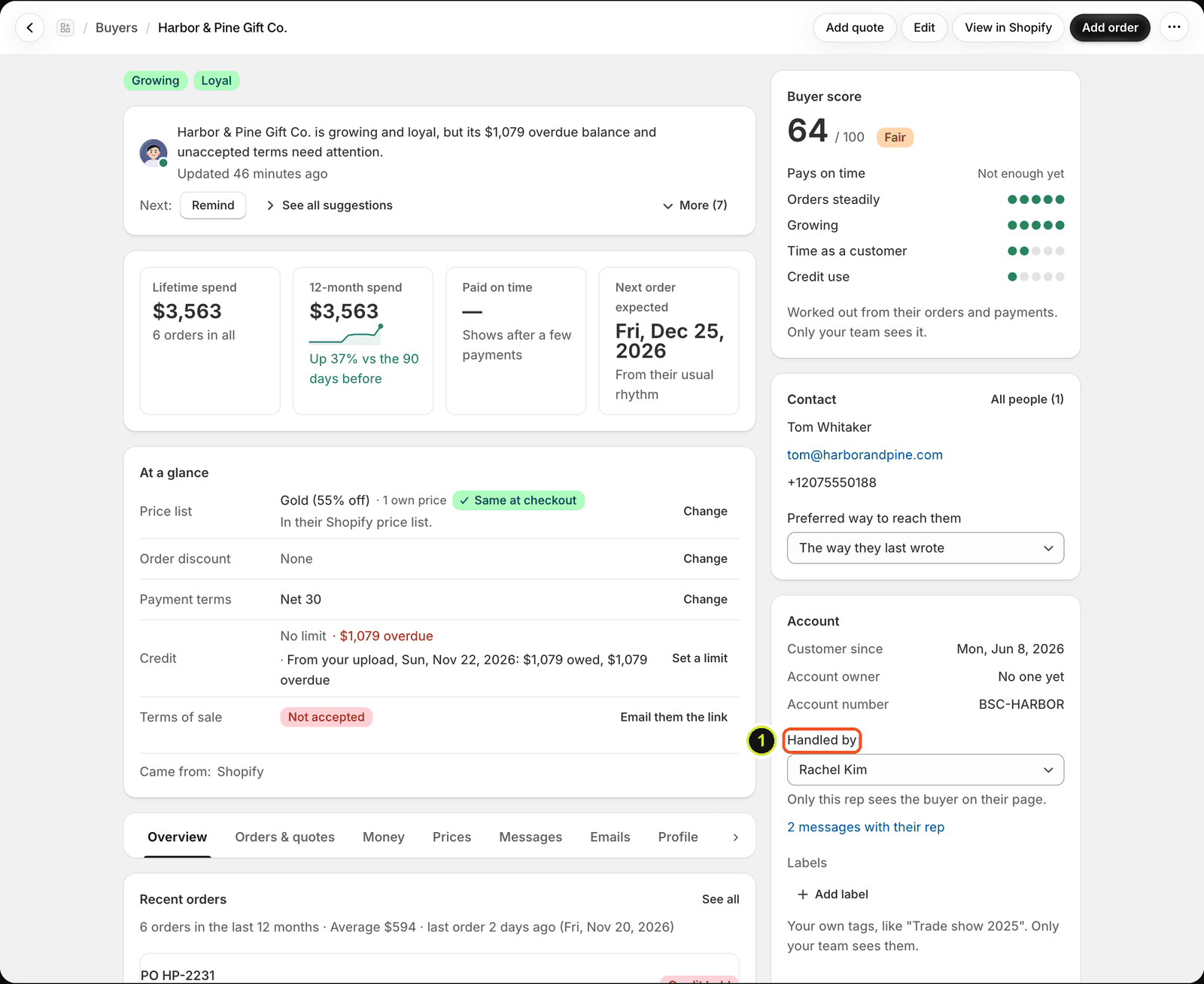 The buyer page with Handled by in the Account card and the link to messages with their rep
In the Account card, Handled by is a dropdown. Pick a rep or Ava (no rep). Only that rep sees the buyer on their page. When there are messages about the buyer between the rep and your team, a link such as 2 messages with their rep opens them.
Give a rep several buyers at once
Open the rep, go to Buyers and add buyers from the search. New buyers in a rep's territory, or shops that sign up from a rep's link, go to that rep on their own.