
Sales reps has its own place in the app menu. Its Overview answers the questions you'd ask your sales manager on a Monday: how are we doing, who's waiting on me, who's away and who's behind.
Who can do it: everyone can look. Admins change settings and reps.
In the app your agent is called Ava by default; you can rename her. Reps never see her: to them, everything comes from your store's team.
Before you start
Add your reps first: see Add sales reps and their page. If Sales reps isn't in the menu, check that it's on in Settings → Features and see Pricing.
The Overview tab
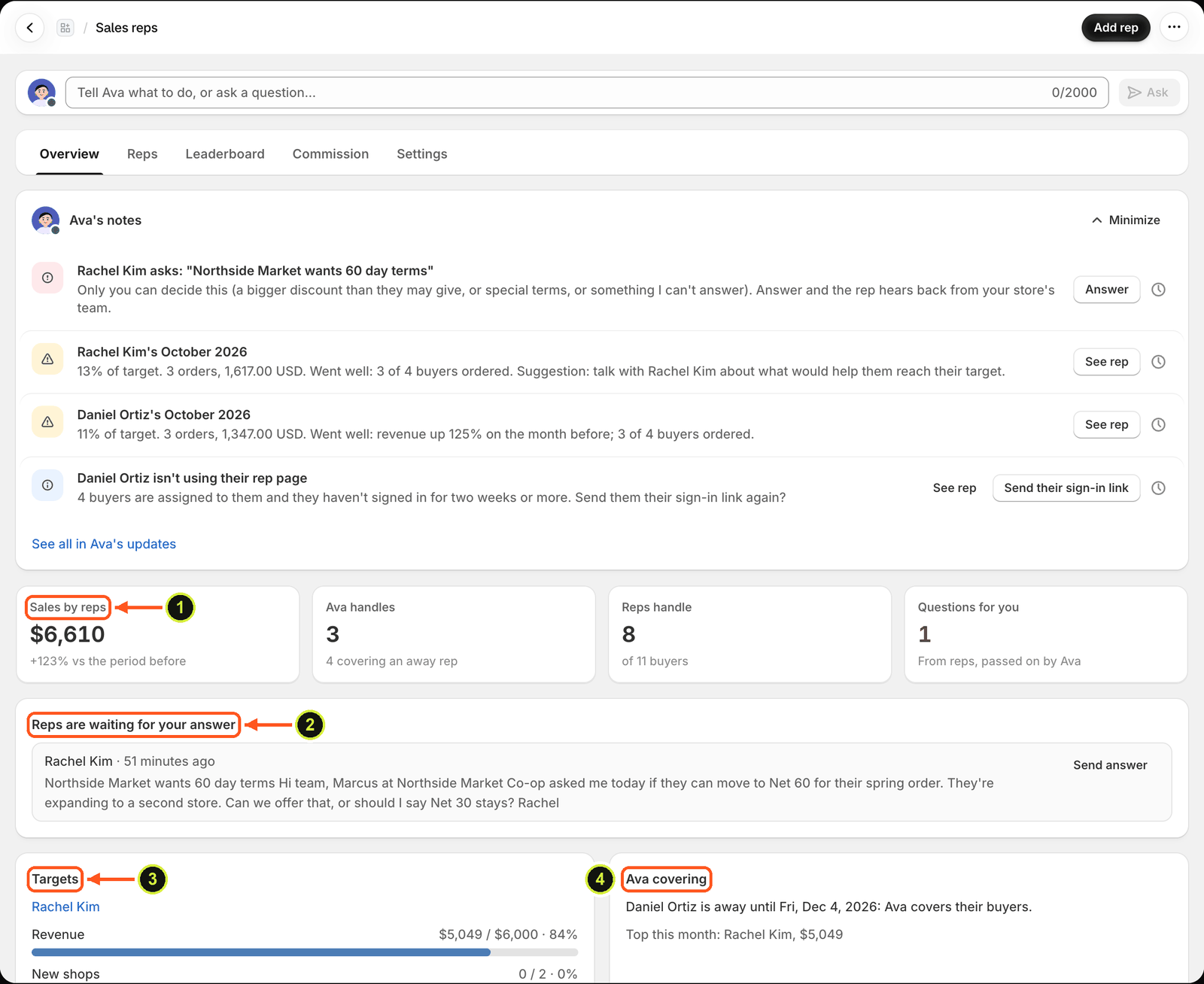 Sales reps → Overview: notes about reps, the four number cards, questions waiting, targets and who Ava covers
Go to Sales reps. The tabs are Overview, Reps, Leaderboard, Commission and Settings.
- Sales by reps: revenue from your reps' buyers this month, compared with the period before. Next to it, Ava handles (buyers with no working rep, including those she covers while a rep is away), Reps handle and Questions for you.
- Reps are waiting for your answer: questions only you can decide, such as special terms or a bigger discount. Click Send answer to open the conversation. See Messages between reps and your team.
- Targets: each rep's progress this month or quarter. See Targets.
- Ava covering: reps who are away and until when, with what she did for their buyers. See When a rep is away or leaves.
Click Ava at the top of the page for your agent's suggestions about reps, such as a rep who isn't using their page or a buyer with no rep, and to ask questions like "Who is my best rep this month?"
Your agent's monthly review
On the 1st of each month your agent writes a short review of each rep's last month: how close they came to target, their orders and revenue, what went well, buyers gone quiet or not followed up, and one suggestion (for example a bonus when they hit target). You find it in your agent's conversation in Messages and on the rep's Overview under Ava's monthly reviews. Only you see it.
The Leaderboard tab
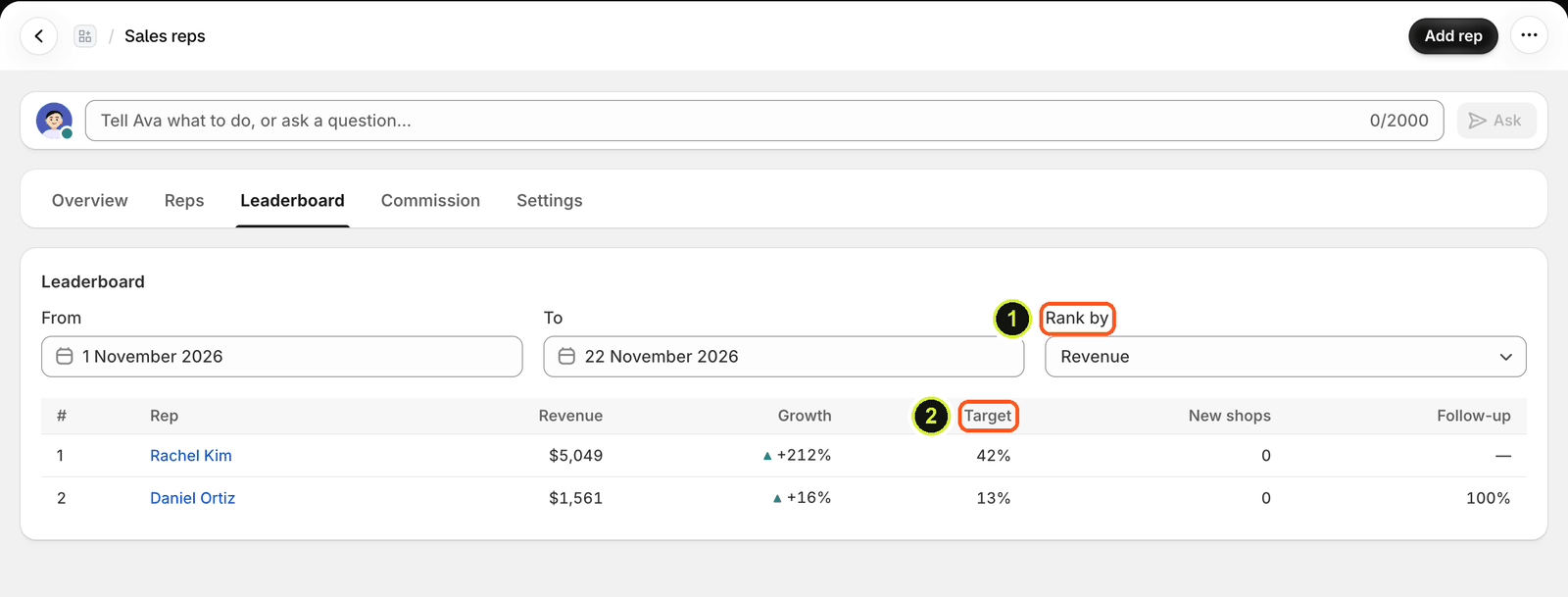 Sales reps → Leaderboard: reps ranked by revenue, with growth, target, new shops and follow-up
Pick the dates (From, To) and what to Rank by: Revenue, Growth, Target, New shops or Reorder follow-up. Each row shows the rep's revenue, growth on the period before, how far they are to target, new shops and how many of their buyers due to reorder they followed up. Click a name to open the rep.
One rep's page
Click a rep (on Reps, the leaderboard or a buyer) to open their page. Its tabs:
- Overview: sales in the last 30 days, orders, buyers ordering, quote win rate, targets, how they work and your agent's reviews.
- Buyers: the buyers they handle. Add several at once.
- Orders & quotes: what they took and sent.
- Conversations: everything between the rep and your team.
- Commission: their statements.
- Settings: their own rules where they differ from the store's.
Set status at the top marks them active, away or gone. To see what the rep sees on their own page, see What your sales reps see.