
A rep standing in a shop wants a quick answer: what did they order last time, are they on hold, can I offer 60-day terms? From their page they message your team. Your agent answers what it can from that rep's own buyers, as your store's team. What only you can decide comes to you, and your answer goes back to the rep.
Who can do it: admins and approvers answer rep questions.
In the app your agent is called Ava by default. Reps never see her name: every answer is signed by your store's team.
On the rep's page
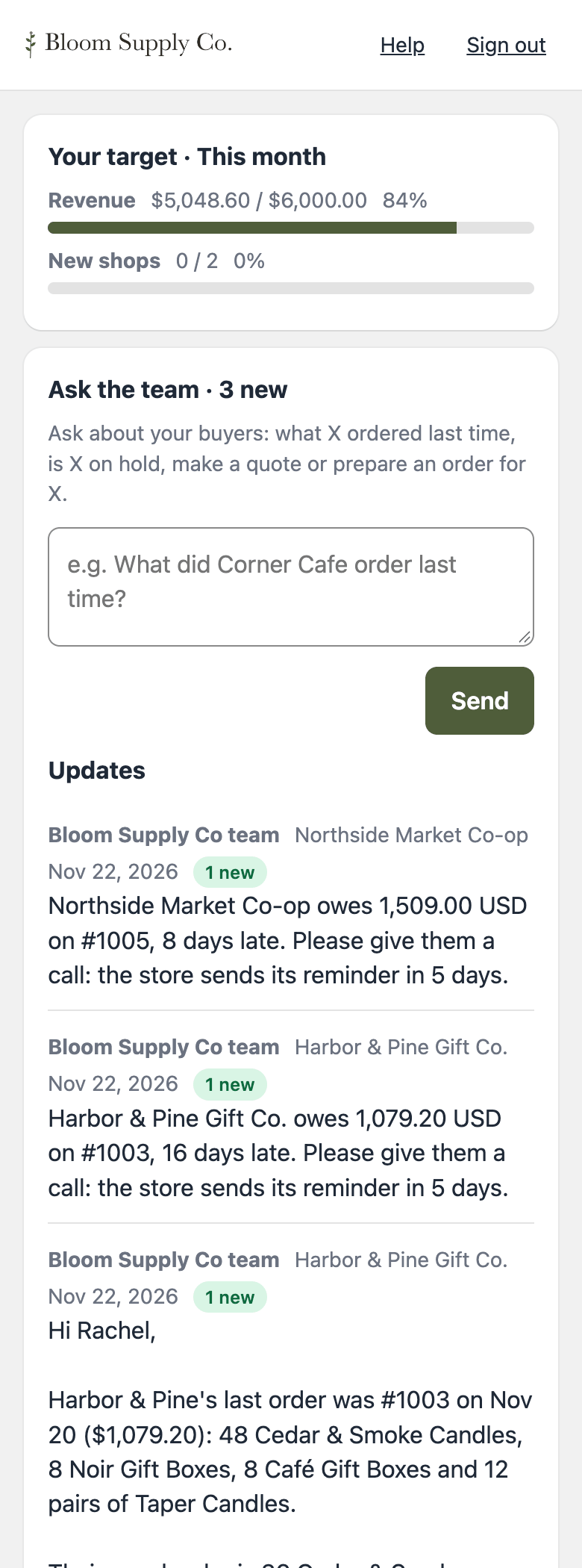 The rep page on a phone: messages with the team and the Updates list
Reps open Messages on their page, or tap Message the team on their Home. There's one conversation with your team for anything ("Can I offer 60-day terms?"), and one per buyer for questions about that buyer ("What did Harbor & Pine order last time?", "Is Northside on hold?"). Each is titled with your store's name, for example "Bloom Supply Co. team". Updates lists what your team asks them to look at, with Done and Snooze.
Reps can also email your order address from their own address. Questions get the same answers, by email.
Answers only ever use the rep's own buyers and what they're allowed to see. A rep can't learn anything about another rep's buyers. See What your sales reps see.
Questions only you can decide
Special terms, a bigger discount than the rep may give, or something your agent can't answer go to you:
- In your agent's conversation in Messages, and under Needs your attention on Home, as a question: "Rachel Kim asks: Northside Market wants 60 day terms".
- On Sales reps → Overview, under Reps are waiting for your answer.
Click Send my answer to the rep on the question, or Send answer on the rep's Conversations tab, write your answer and send it. Your agent passes it on as your store's team. You can also answer by replying to the update email.
Everything in one place
Every rep's conversation is also in Messages (on Buyers, click Messages), next to your buyers, under the Sales reps tab. A rep's message stays under Needs a reply until someone on your team answers, and your answer is signed "The Bloom Supply Co. team" with your store's name. See Buyer messages.
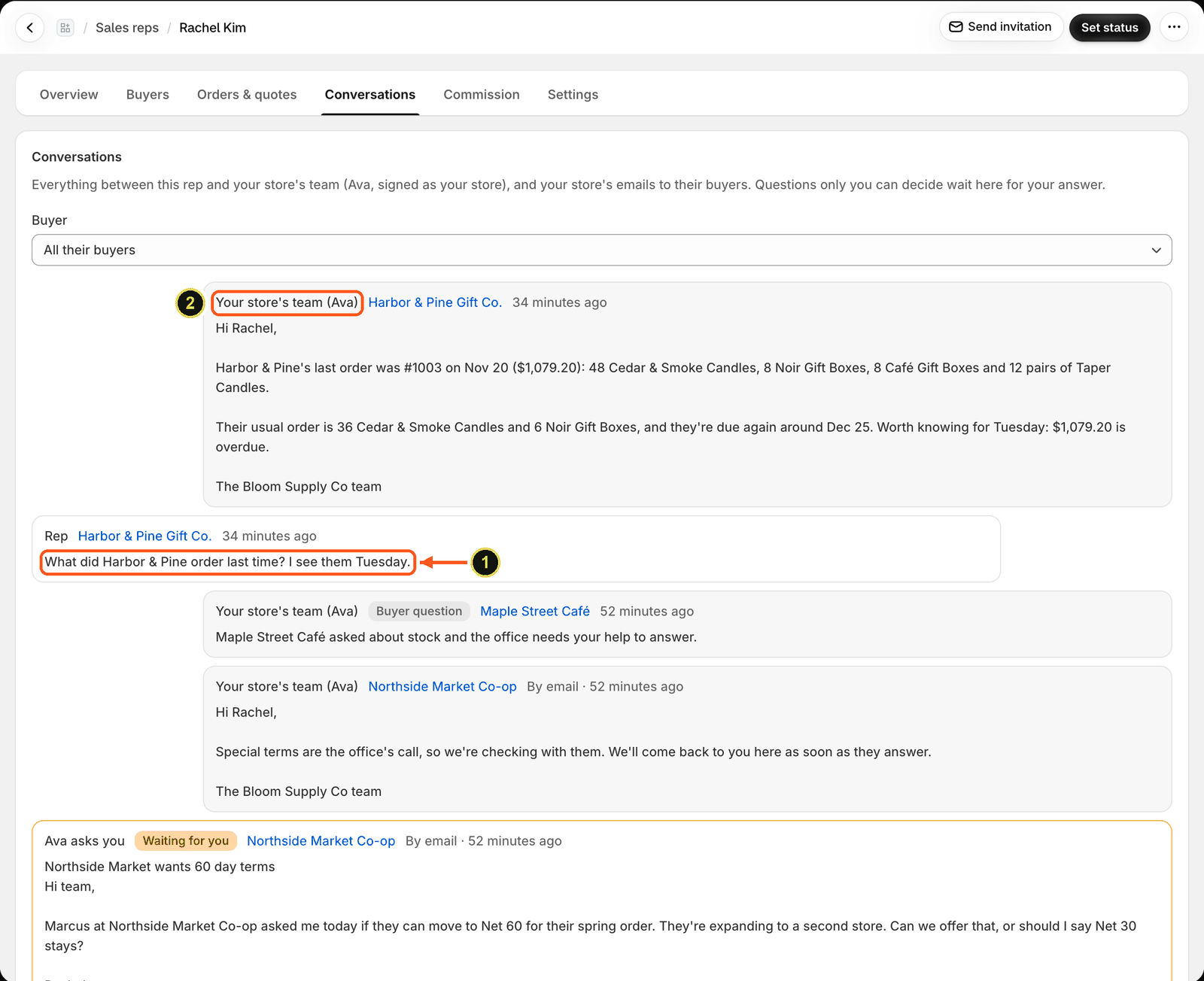 A rep's Conversations tab: the rep's question, the team's answer and a nudge
On the rep's own page in the app, click Conversations. You see everything between the rep and your team, and your store's emails to their buyers. Filter by Buyer. Messages waiting for you are marked Waiting for you. The buyer page shows a link such as 3 messages with their rep under Handled by.
Nudges
Your agent sends reps short updates when something needs them:
- Due to reorder: a buyer of theirs is due and hasn't been contacted.
- Overdue: please call: with Ask the rep to chase first on, the rep is asked to call before your store's reminder goes out.
- Buyer question: a buyer asked something the rep can help answer.
Nudges show in their Updates and in their morning email.
How your agent works with reps
Go to Sales reps → Settings → Working with reps (or one rep's Settings):
- Copy the rep on emails to their buyers: Off, Order issues and payment reminders, or All emails.
- Overdue payments: Ask the rep to chase first, remind after [days] days, or Remind the buyer directly.
- Buyer replies the rep forwards join the conversation: a buyer's email the rep forwards to your order address is handled as if the buyer sent it.