
At the end of the month you want one clear answer per rep: what do I owe them, and why. A commission statement freezes the orders, bonuses and anything taken back for a period, emails it to the rep from your store, and records when you paid. The app never pays anyone.
Who can do it: admins make, send and settle statements.
Commission owed right now
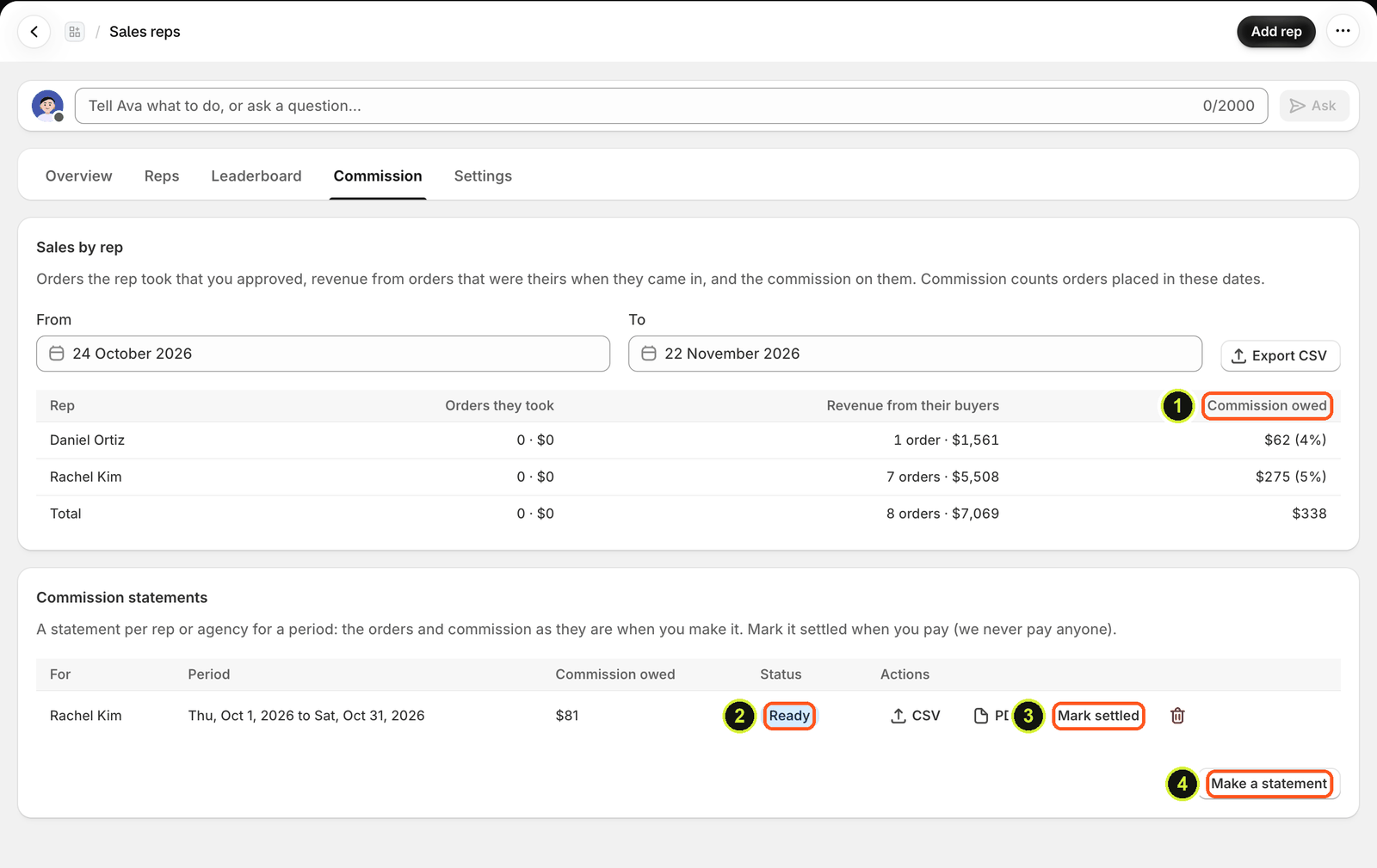 Sales reps → Commission: Sales by rep, and the statements list with one statement Ready
Go to Sales reps → Commission. Sales by rep shows, for the dates you pick:
- Orders they took that you approved,
- Revenue from their buyers (orders that were theirs when they came in),
- Commission owed at their rate.
Click Export CSV to download it. Commission is kept on each order as it arrives, with the rep and rate at that moment, so giving a buyer to another rep later never moves past commission.
Make a statement
- Under Commission statements, click Make a statement.
- Under For, pick a rep or an agency.
- Set From and To (last month by default). Dates can't overlap another statement for the same rep or agency.
- Click Make a statement.
The statement lists each order and its commission, then any Bonus lines (from your bonus rules) and Taken back lines (clawbacks, below), with the total. Its status is Open. Download it as CSV or PDF.
Send it to the rep
- Click Mark ready on the statement.
- The pop-up says it's emailed to the rep from your store with the PDF and a spreadsheet. Click Send to [rep].
The status becomes Ready. With Reps see their statements on their page on, the rep also finds it on their page under Commission statements.
Mark it settled
When you've paid, click Mark settled, add a Note if you like ("Bank transfer, 3 Dec"), and confirm. This is a record only, and can't be undone. To change a statement before it's settled, remove it with the bin and make it again.
Clawbacks: refunds and cancellations
Go to Sales reps → Settings → Commission. Under Take commission back on refunds and cancellations within, enter the number of days (0 = never). A refund or cancellation within that many days of the order shows as a negative Taken back line on the next statement, with the order number.
In the same section you set the store's commission %, per-collection rates, agency rates and whether commission counts orders placed or orders paid.